
Tony
Estimating
Builds estimates from your spec and catalog, prices them against your closed jobs, and assembles the bid.
Construction management + accounting · for general contractors
Cooper runs a general contractor from the first estimate to the final pay app: estimating, project management, accounting and payroll prep in one system, with AI agents that do the paperwork and wait for your OK.
What's your annual construction volume?
Job 2611 · Sample data
Riverside Medical Office
Budget
$4.82M
Billed
$2.91M
Uncommitted
$240K
82% incurred · 13% committed in open POs
In use today by
The problem
The bid in a spreadsheet, the schedule in a PM app, costs in the books, hours in a timecard app, change orders in email, and what really happened on site in someone's texts.
The problem
Four handoffs in one week: a typo in the PM app, an old estimate in the books, fourteen crew hours lost on the way to payroll, and a signed $38,400 change order nobody billed.
In Cooper
The estimate becomes the budget, the change order updates it, GPS hours become payroll and job cost, and the field's messages file to the job. Nothing is retyped, so every report agrees.
Riverside Medical Office
Job budget report · Riverside Medical Office
+ 5 more on the crew
Delgado Rhee ArchitectsTue
CO-14 canopy, signed by owner
CO-14_canopy_signed.pdf$38,400Never billed
Summit InteriorsTue
Pay app 6, rev 2
PayApp_6_rev2.pdf
Owner's repTue
RE: RE: FW: updated SOV
SOV_final_final.xlsx
Riverside Medical Office
One job record in Cooper · sample data
Revised budget
$4,858,400
Estimate $4,820,000, plus CO-14 for $38,400, signed in CooperSign and billed on pay app #7.
The problem
Four handoffs in one week: a typo in the PM app, an old estimate in the books, fourteen crew hours lost on the way to payroll, and a signed $38,400 change order nobody billed.
The same budget, in four places
Riverside Medical Office
One job record in Cooper · sample data
Revised budget
$4,858,400
Estimate $4,820,000, plus CO-14 for $38,400, signed in CooperSign and billed on pay app #7.
The life of one job
Follow one medical office from the bid invitation to the final retainage check, and see which part of Cooper carries each step.

Drawings: HABS, Library of Congress. Rendered in Blender. Map data © OpenStreetMap contributors. Aerial: USGS NAIP. Credits

1Lead
An invitation to bid arrives in the shared inbox. Cooper files it to the bid pipeline with the owner, the due date and the drawings attached, and makes it someone's action item.
Synced inboxBid pipelineAction items

2Preconstruction
Sheets are named and versioned, the spec book is read section by section, and takeoff measures the plans. Nothing is retyped from a PDF.
Drawing setsSpec readingPlan takeoff

3Estimate and bid
Tony prices the work from your catalog and your closed jobs. Trade packages go to subs, quotes come back side by side, and the gaps get flagged before the bid goes out.
Estimate worksheetsTrade packagesVendor quotesProposals

4Award
The owner signs in CooperSign. One click turns the estimate into the job: budget, deliverables, tasks, and a schedule with real dependencies.
CooperSignConvert to projectGantt

5Mobilize
Crews clock in by GPS at the gate. Deliveries are matched to their POs from a photo, and the daily report writes itself from a text.
GPS clock-inReceivingDaily reportsMobile app

6Build
RFIs and submittals are tracked against the spec, the schedule moves when the job moves, and the agents chase whatever is late before it costs you.
RFIsSubmittalsScheduleAI agents

7Bill and pay
Pay apps come from progress, the owner approves by link and pays through Cooper Payments. Card charges, vendor bills and payroll land on the job as they happen.
Pay appsCooper PaymentsCard reconciliationPayroll

8Closeout
Punch list walked, closeout documents signed, retainage released. The job closes with its true cost, and your next estimate prices from it.
Punch listsJob costRetainageCost basis
Product tour
Every stage of the job, from the bid to the last payment: 25 screens, each opened on one real piece of work. Sample data, real layouts.
Riverside Medical Office›Drawings›A-101
62 sheets · Bulletin 1
A-101
First floor plan · rev 3
A-102
Second floor plan · rev 2
A-103
Third floor plan · rev 2
S-201
Framing plan L2 · rev 1
M-301
HVAC plan L1 · rev 1
41RFI-041 · stair landing dimsTakeoff · A-101
Send to estimate: slab, finishes, ceilings →
Markups
Cloud · Bulletin 1 change at stair 2
RFI-041 pinned · answered
Compare with rev 2
The AI team
Named agents work inside Cooper with the same records and tools as your people. They draft, match and chase. You approve what matters.
Ready to post 41 journal entries · $18,240.55
PreviewNothing is written until you approve. Each entry is stamped with who approved it.
Tony
Estimating
Builds estimates from your spec and catalog, prices them against your closed jobs, and assembles the bid.
Trinity
Submittals
Pulls submittal requirements from the spec, tracks every package and chases the sub when it runs late.
Beatrix
Card reconciliation & purchasing
Matches card charges to receipts and invoices, codes them to the right job and flags what is missing.
Harper
Time to payroll
Reviews crew hours, allocates them to jobs, checks overtime and prevailing wage, and preps payroll.
And 14 more on the team
Ripley
Project management
Kevin
Field
Gordon
CFO
Charlie
Board advisor
The Closer
Vendor quotes
The Librarian
Catalog
Blake
CRM
Vaughn
Compliance
Elle
Legal operations
The Architect
Orchestrator
Morpheus
Onboarding
The Terminator
Agent & skill builder
Mr. Finch
Automations
Furiosa
Logistics
Previewed first
Changes are shown to you before they are saved.
Stamped on the record
Every change shows the agent and the person it acted for.
Your permissions
An agent can do only what the person asking can do.
Your choice of model
Runs on Anthropic, OpenAI, Gemini or xAI.
Everything in Cooper
Pick an area, then a capability, and the screen shows you where it is. Every plan includes all of it.
Win the work with numbers you can defend.
3 screens
Riverside Medical Office›Drawings›A-101
62 sheets · Bulletin 1
A-101
First floor plan · rev 3
A-102
Second floor plan · rev 2
A-103
Third floor plan · rev 2
S-201
Framing plan L2 · rev 1
M-301
HVAC plan L1 · rev 1
41RFI-041 · stair landing dimsTakeoff · A-101
Send to estimate: slab, finishes, ceilings →
Markups
Cloud · Bulletin 1 change at stair 2
RFI-041 pinned · answered
Compare with rev 2
Sample data. Hover a capability to see where it lives.
All 21 in Preconstruction and estimating. The ones marked open on the screen above.
For everyone on the job
You run the company
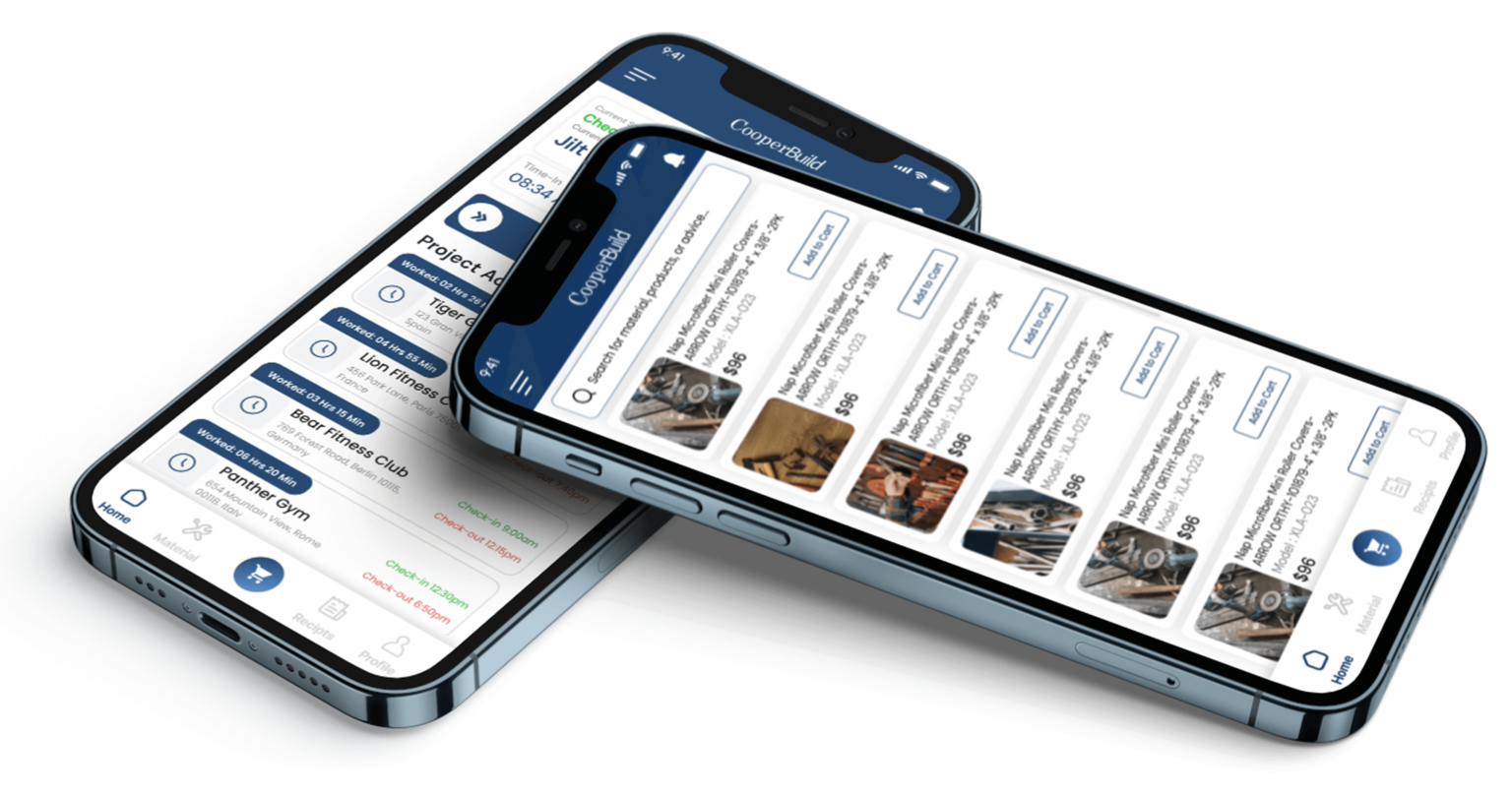
The mobile app
TUESDAY · 04 NOV 2026
Riverside Medical Office Switch project
No signal? It saves on the phone and syncs later.
Cooper asks when you reach the site. Slide to check in; at the end of the day, split your time across the tasks you worked.
Also in the app
Pricing
One plan for the whole company, set by your annual construction volume. Every module and unlimited users on every plan, with a 14-day free trial.
Under $5M volume
$499/mo
$5,988 billed yearly
$5M – $15M volume
$1,250/mo
$15,000 billed yearly
$15M – $40M volume
$3,000/mo
$36,000 billed yearly
$40M – $100M volume
$6,000/mo
$72,000 billed yearly
Works with what you use
Connect Claude or ChatGPT and ask about a job, draft a PO or check a pay app without opening Cooper. Your other tools connect the other way.
Connectors
Plus a GraphQL API and an MCP server for your own builds. Developers →
Agent signup
Register an OAuth client, read the 8-digit code from your inbox, and call the Cooper MCP server. The steps, the 15-minute code and the Mcp-Session-Id header are on the developer page.
FAQ
Get started
Tell us your size and we'll send you the right way: straight into a free trial, or a 30-minute demo on your own jobs.
What's your annual construction volume?